GTA 6 Lucia Face Swap
A GTA 6 Lucia face swap puts your face on a Lucia cosplay photo, a fan-drawn photoreal portrait, or a neon Vice City-style street still with one clear face — for the Grand Theft Auto VI release on 19 November 2026. Same photo and video swap as the rest of the site. Not a Lucia filter and no official artwork.
- A clear, front-facing photo of one person
- Logos, landscapes and text screenshots will not work
Videos up to 300s (90s with enhancement on)
AI face swap examples
One clear face photo, one target photo, about ten seconds of processing. These are unedited results from the same engine you use above.
 Before
 After

 Before
 After

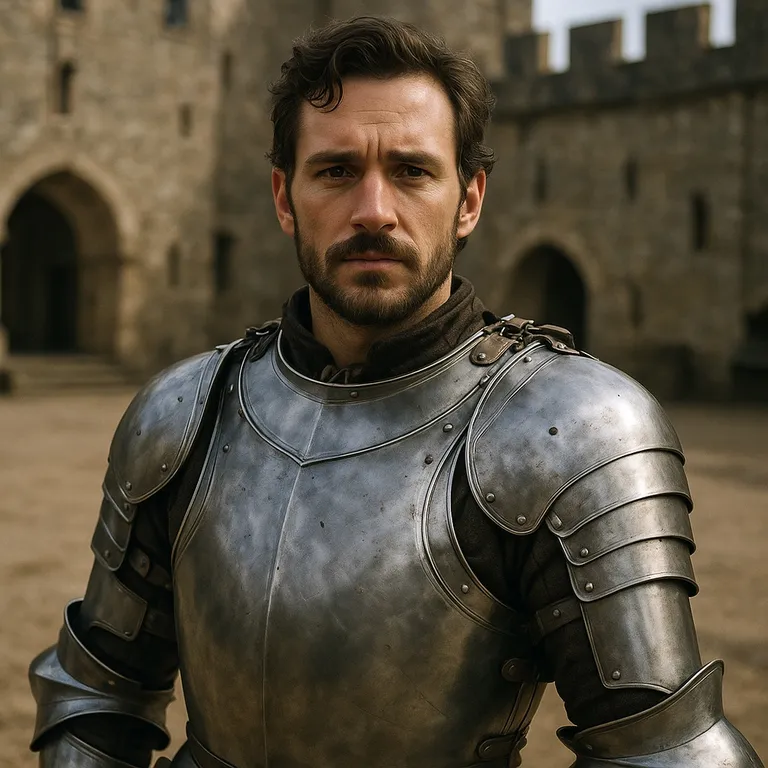 Before
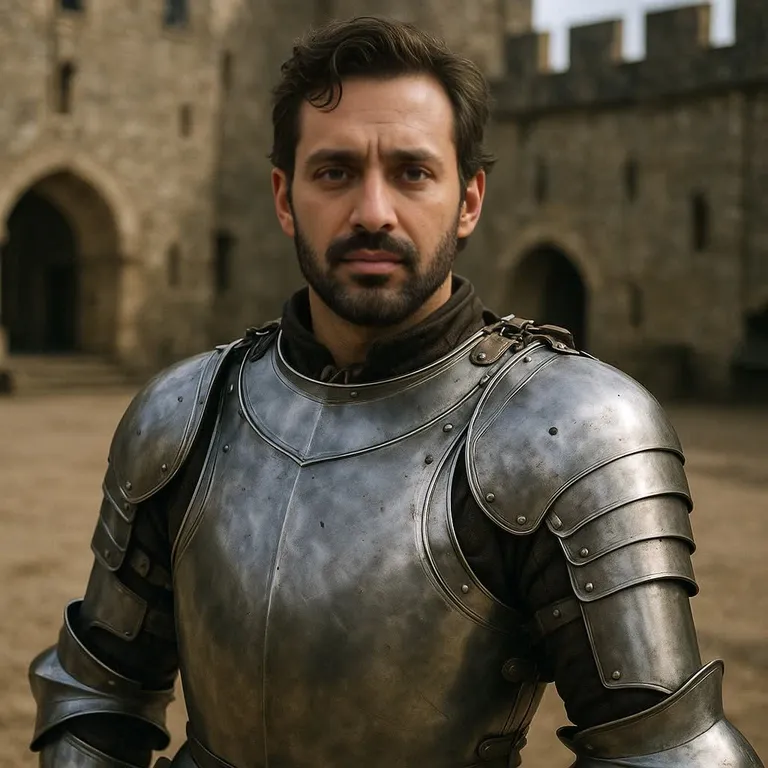 After

 Before
 After

 Before
 After

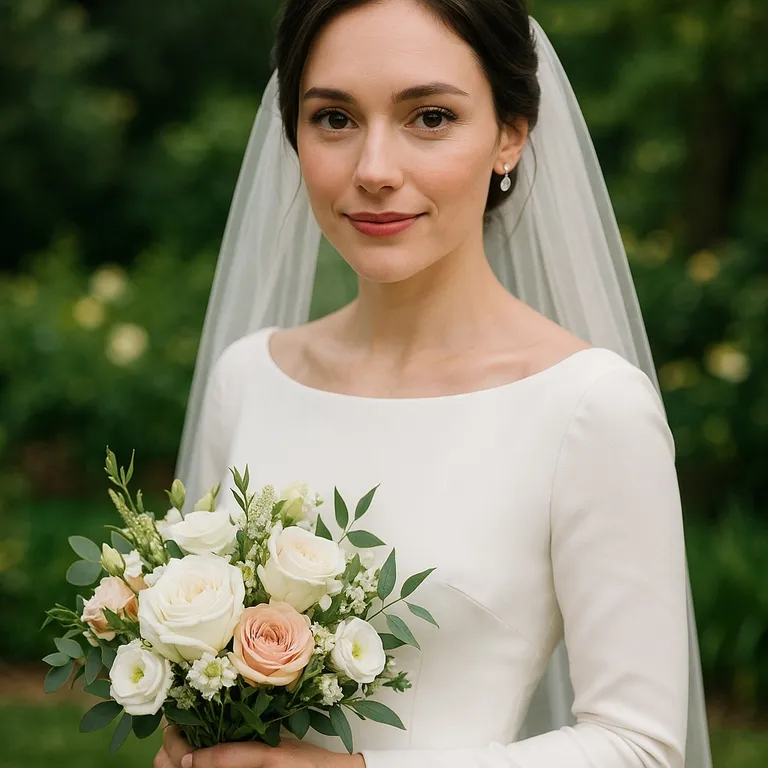 Before
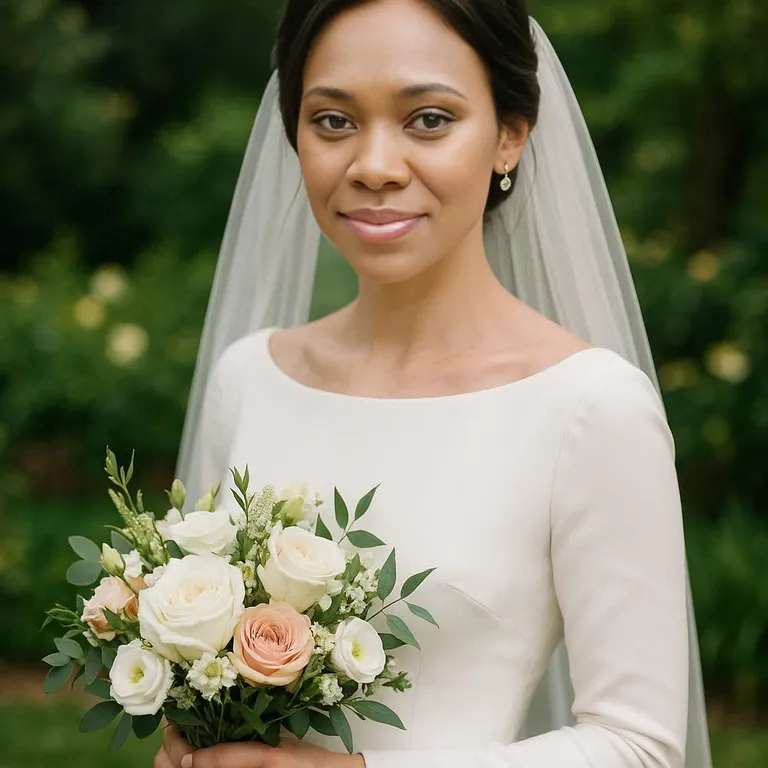 After

Every person in these examples is AI-generated and does not exist.
Lucia Caminos is one of the two playable leads in Grand Theft Auto VI. Rockstar's own profile describes Lucia Caminos as a fighter from Liberty City roots who did time in the Leonida Penitentiary and now wants only smart moves toward a better life. A GTA 6 Lucia face swap is not a character generator: it puts a face you control onto a Lucia-style photo or clip that already exists. There is no Lucia preset, filter pack or official image here. Grand Theft Auto, GTA and the character are trademarks or property of Rockstar Games and Take-Two Interactive; aideepfake is not affiliated with, endorsed by, or sponsored by either company.
Match angle, expression and light before you spend credits. A sharp, front-lit source with both eyes visible lands; a cropped selfie or a grin on a stern stare does not. Stylized cartoon heads without a clear human face starve the detector. Test the pairing on a still first, then move to a clip.
Photo swaps cost 15 credits. Video swaps are 5 credits per started 10 seconds, minimum 20, billed from the file. A free account claims 10 check-in credits a day, valid until 00:00 UTC; that pool does not cover a still alone, so 5 purchased credits finish one. Use only likenesses and files you may edit, and label the result as AI-edited if you publish it.
What This GTA 6 Lucia Face Swap Actually Does
You bring the Lucia target; nothing is bundled
The target is an upload, not a catalogue. Stills: JPEG, PNG, WebP up to 10 MB. Clips: MP4, MOV, WebM up to 100 MB. GIF, HEIC and AVIF are rejected before a charge. No Lucia preset, outfit generator, live camera or social-URL import. Official Rockstar screenshots, trailers and logos are not provided.
One source face, every face in the scene
The same source replaces every detected face, so a Lucia and Jason duo shot becomes two copies of you. There is no per-face picker. Crop if only one person should change.
A human face in the target, not a cartoon outline
The swapper needs a real, visible human face: eyes, nose and mouth in the light. Cosplay photos and photoreal fan renders swap; a flat cartoon, a mask or a distant crowd head will not. There is no head-or-body swap.
Stills and short clips, priced by the file
A clip is a video swap, priced by duration: up to 300 seconds plain, 90 seconds with face or frame enhancement. No GIF path, realtime mode or batch queue. One job, one pair of files.
Enhancement, watermark switch, and API
Face enhancement restores detail after the swap; frame enhancement sharpens the clip; pixel boost rebuilds the face region up to 1024×1024. Renders keep an aideepfake.io mark until a purchase unlocks the switch on new jobs. Subscribers can run the same GTA 6 Lucia face swap through the REST API.
How to Make a GTA 6 Lucia Face Swap
Upload a Lucia target you may edit
Use a Lucia cosplay photo you shot, a fan render you made or licensed, or a generated scene. An official trailer frame or store screenshot you do not own is the wrong target. This site grants no rights to Rockstar assets.
Match your source to that face
Similar head angle, similar expression, both eyes visible, even light. The source must be a real front-facing face, not a drawing. Do not upload a real person who did not agree.
Render, then inspect the seam
Start the job from the tool on this page. Check hairline, neck, ears and expression before you post. If one is wrong, change the source or the crop — the tool does not repaint outfits or scenery.
The watermark switch is labelled aideepfake.io watermark. Free and check-in credit on an unpaid account does not unlock it. Any completed purchase unlocks it for new jobs, including jobs paid with check-in credit. Old results are not re-rendered.
Jobs This GTA 6 Lucia Face Swap Is For
Each job assumes you hold the rights to the target file and the likeness, and that you label the result as AI-edited if it leaves this tab. aideepfake is not affiliated with Rockstar Games or Take-Two Interactive.
Lucia cosplay photos you shot
The most reliable target: a cosplay portrait of you or a friend dressed as Lucia, shot front-on in good light. The swap keeps the outfit, hair and backdrop and changes only the face. One still is 15 credits.
Fan-made photoreal Lucia renders
A render or painting you made or licensed, with a human face large enough to read. Heavily stylized art with no real facial structure fails detection. Official Rockstar art is not a legal target unless you hold the rights.
Lucia and Jason duo shots
A two-person cosplay still becomes two copies of one face, because one source replaces every detected face. Crop to Lucia first, run the swap, then rebuild the pair in an editor — or use the Jason page for the other half.
Short Lucia-style clips you recorded
A short walk-and-talk clip in costume works when the face stays lit and in frame. Video costs 5 credits per started 10 seconds, minimum 20. Do not upload an official trailer you do not own.
Release-week memes from your own footage
A reaction still from a clip you filmed can carry the joke. Putting someone who did not agree into a crime-story gag is refused. Label the post as AI-edited.
Picking Targets That Survive a GTA 6 Lucia Face Swap
Rights and trademarks first
If you did not make, license or generate the Lucia scene, do not upload it. This site grants no rights to official Grand Theft Auto VI screenshots, trailers, character art or logos. The swapped face must be yours, a person who agreed, or a synthetic source. A release-day meme is not a reason to skip consent or copyright.
Formats match every other tool page: JPEG, PNG and WebP for stills, MP4, MOV and WebM for clips. Convert a GIF to a still or a short MP4 first, and HEIC or AVIF to JPEG or PNG.
Matching a source to a Lucia-style target
Lucia cosplay is usually shot as a hard, front-facing stare or a three-quarter street pose. Bring a source with the same angle and a closed or neutral mouth; a wide smile on a stare reads as a grimace. Hair pulled back exposes the hairline, so the seam there needs a source with similar hair colour and forehead height.
Neon Vice City-style light is pink, cyan and hard-edged. A source shot under flat office light will look pasted on. Shoot the source near a window at a similar angle, or pick a target with softer light. Sunglasses, a hand at the face or hair across one eye starve the detector of landmarks.
What to inspect before you post
Check hairline, ears, neck seam, earrings, cap edges and whether the mouth still matches the target. A clip that flickers usually has a turning head or a hand over the face; enhancement will not invent a missing view.
Every render carries an aideepfake.io mark until a purchase unlocks the switch. Publish with an AI-edited label; EU AI Act Article 50(4) puts that duty on you as the deployer. Never present a GTA 6 Lucia face swap as an official Rockstar image.
A Checklist Before You Spend the Credits
Most failed jobs are a mismatch you can already see in the two uploads. If an item fails, change the file — there is no prompt and no style slider.
The advanced panel helps once the pair is right: a paid swapper model, an occlusion mask, a tighter pixel boost. It will not rescue a profile source, a cartoon face or a file you may not use.
- The Lucia target is your cosplay, a licensed render or a synthetic scene — not an official trailer, screenshot or logo
- The source is a real front-facing face with both eyes visible, and the person agreed
- The target face is large enough to swap, not a distant head or a masked face
- The file is JPEG, PNG, WebP, MP4, MOV or WebM — not GIF, HEIC or AVIF
- A duo shot should become every face, or you have cropped to one head
- You will inspect hairline, neck and expression, then label the post as AI-edited
Consent, Copyright, and the Trademark Line
A Lucia-style gag is still a likeness. Sexual or pornographic swaps are banned on every plan, and so is putting a real person into a crime scene they did not agree to. This page names no performer and supports no swap of an actor who did not consent. Paying does not buy a waiver; reports are acted on.
If you publish the file, say that it is AI-edited. Passing a swap off as a real photo of someone, or as official Grand Theft Auto VI material, is deception. Grand Theft Auto, GTA and Lucia Caminos belong to Rockstar Games / Take-Two Interactive. aideepfake is not affiliated with either company and hosts no official artwork.
GTA 6 Lucia Face Swap FAQ
Is this the official Lucia face or a Lucia filter?
No. This page ships no image of Lucia Caminos, no Rockstar artwork and no Lucia filter. You upload a Lucia cosplay or fan-made target you may edit plus your own source face, and the same photo and video swapper runs on that pair.
Who plays Lucia in GTA 6, and can I use the actor?
This page does not name or use any performer. Swapping a real actor's face without consent is not allowed here. Use your own face, someone who agreed, or a synthetic face.
Can I swap onto official GTA 6 screenshots of Lucia?
Only if you already have the right to edit that file. This page supplies no Rockstar logos, character art, trailers or screenshots. Cosplay, fan-made or licensed art with a visible human face is the intended target.
How much does a GTA 6 Lucia face swap cost?
A still costs 15 credits. A clip is 5 credits per started 10 seconds, minimum 20. Daily check-in credits on a free account are 10 and expire at 00:00 UTC, so they do not cover a still alone; 5 purchased credits finish one.
Will the result have a watermark?
Yes, until any purchase — a credit pack or a subscription — unlocks the switch labelled aideepfake.io watermark. Unpaid free and check-in credit does not unlock it. Old results are not rewritten.
Is there a Jason page too?
Yes. The GTA 6 Jason Face Swap page covers the other GTA VI lead with the same tool, and the GTA face swap page covers GTA-style scenes in general.
Related Pages
The other GTA VI lead, the general GTA page, the main tool, guides, and the plans that unlock the watermark switch.
Start a GTA 6 Lucia Face Swap
Upload a Lucia target you may edit and a face that matches its angle. Inspect the seam before you post. Not affiliated with Rockstar Games.
Open the Lucia face swap tool