How to Make a Deepfake
A working tutorial, start to finish. Upload a face, upload the shot it lands in, press render, and understand every setting in between. Same on a phone.
- A clear, front-facing photo of one person
- Logos, landscapes and text screenshots will not work
Videos up to 300s (90s with enhancement on)
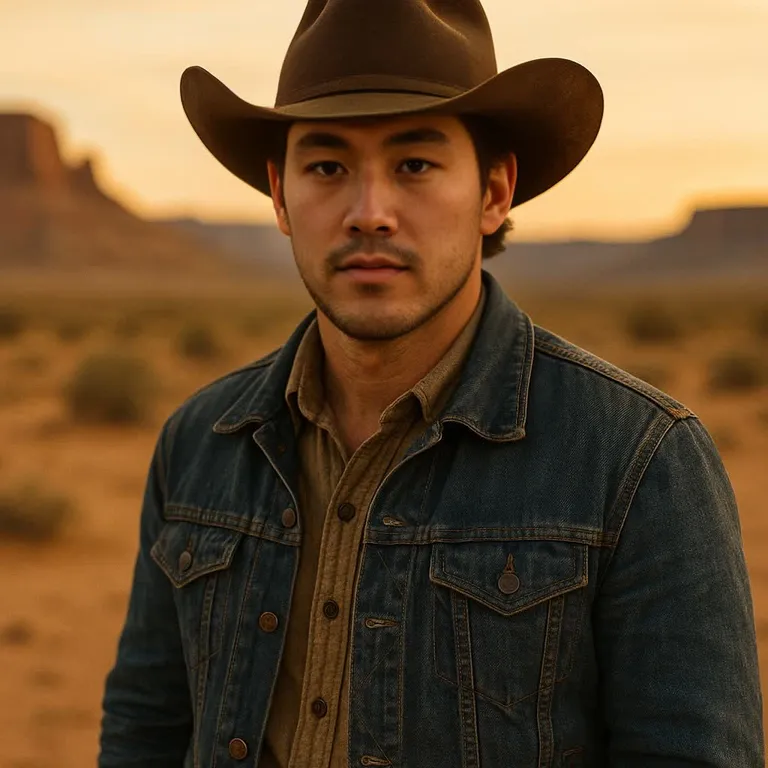
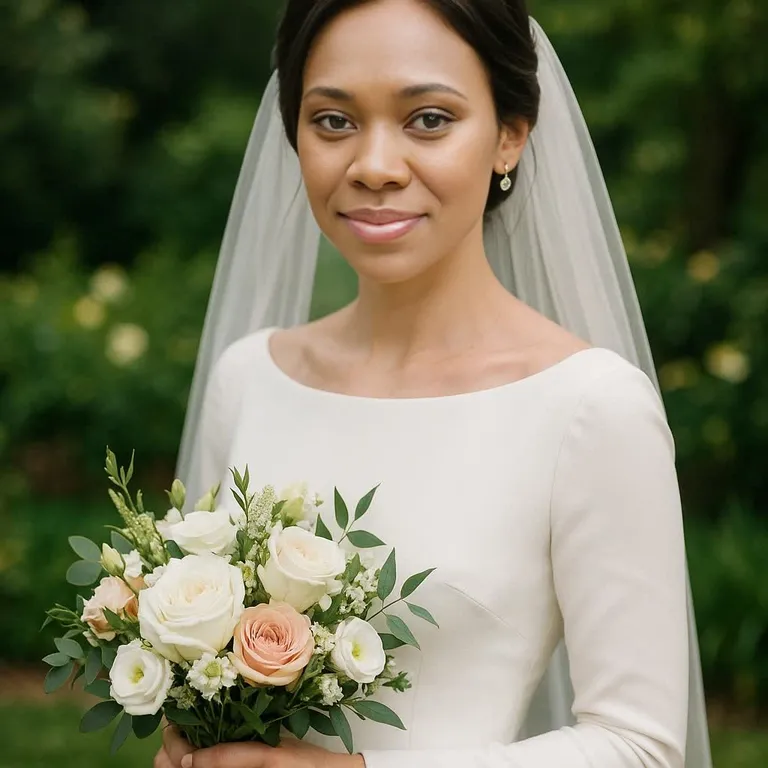
AI face swap examples
One clear face photo, one target photo, about ten seconds of processing. These are unedited results from the same engine you use above.
 Before
 After
After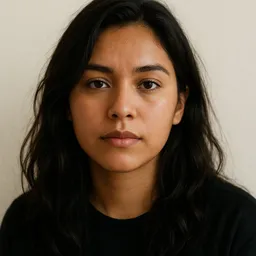
 Before
 After
After
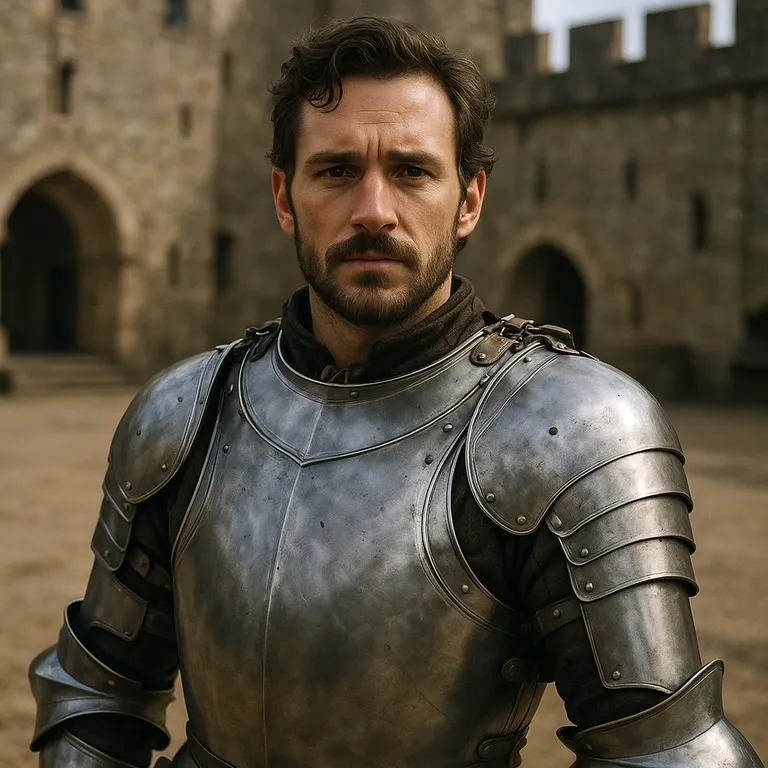 Before
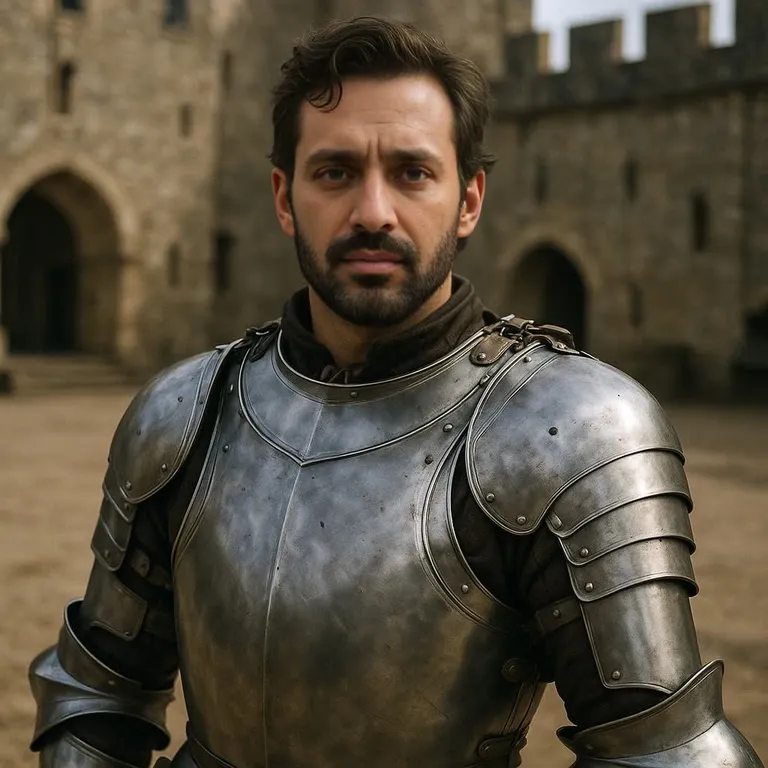 After
After
 Before
 After
After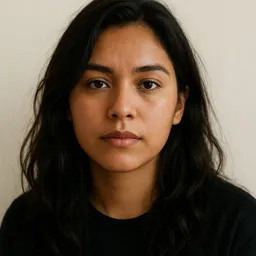
 Before
 After
After
 Before
 After
After
Every person in these examples is AI-generated and does not exist.
This page is a tutorial, not a demo reel. It walks through how to make a deepfake from a blank browser tab to a finished file: what to upload first, which settings matter, what a job costs, and what to fix when the output looks wrong. Never made one? Start at step one. Already know how to make a deepfake and only want the settings? Skip to the advanced panel.
The mechanics are simpler than the reputation suggests. You hand the tool two files. The source is a photo of the face you want. The target is the photo or clip that face should appear in. The engine detects every face in the target, rebuilds it carrying the identity from your source, and composites it back into the frame. The rest of this deepfake tutorial is about giving that process better material.
Nothing installs and no local graphics card is involved. Files upload to storage, the job runs on our hardware, and the render returns to the tab you started in. An image swap costs 15 credits, a video swap 20, and a new visitor receives 15 credits the moment the tool loads — enough for one image job, with no signup — and a free account can claim 10 check-in credits a day toward any swap, valid until 00:00 UTC. You can make a deepfake online and judge the output before spending anything.
What You Need Before You Make a Deepfake
One clear source face
A still image of the face you want to copy: JPG, PNG or WEBP up to 10 MB. One person, lit from the front. Logos, landscapes and text screenshots will not work: the detector finds no face.
A target photo or clip
The shot the face lands in. Images follow the same 10 MB limit and formats; video is MP4 up to 100 MB. The target may hold several people; you choose which is swapped.
Credits, with no account needed
Rendering spends credits: 15 for an image swap, 20 for a video swap, the same whether the source is your upload or a face from the celebrity library. Every visitor starts with 15 credits, granted once, and no signup is needed to get them; a free account can claim 10 check-in credits a day toward any swap, valid until 00:00 UTC.
A browser — any device will do
No app to download, no driver to update. Chrome, Safari, Firefox or Edge on a laptop, and the browser already on your phone, reach the same pipeline. Make a deepfake on a phone and you get the identical tool.
A few minutes of patience
A photo swap finishes well under a minute. A video is one pass per frame plus tracking, so it takes time in proportion to length. Jobs are cut off at 900 seconds.
How to Make a Deepfake in Three Steps
Upload the source face
The first box is labelled Source face: the face to copy from. Drop in one clear, front-facing photo of a single person. This file decides the identity in the render, so choose it well.
Add the target image or video
The second box is where the face will be placed: the photo or MP4 clip you want the swap to happen in. The uploader shows the current video duration limit before you commit.
Render, then save the file
Press generate and wait. The result comes back in the same tab at the resolution you supplied, ready to download or save straight to your phone.
Those three steps are the whole flow, identical on a phone. Swapper models, pixel boost, enhancers and masks live behind Advanced options and are optional.
Reasons People Make a Deepfake
A face swap is a format, not a purpose. These jobs come through most often, and each stays inside the consent rules set out further down.
Memes and reaction edits
The oldest joke on the internet still lands, and the reference expires within a day. Being able to make a deepfake in a minute decides whether it gets posted.
Short-form video and thumbnails
Creators cutting vertical video keep a running gag consistent across a series, and build thumbnails that would otherwise need a licensed press shot.
Clearly labelled fan edits
Putting yourself or a friend into a film scene, a music video or a game trailer is the most common reason people make a deepfake. Label it as an edit and it stays fan work.
Previs and casting mockups
Directors put a rough render in front of a room to show how a role reads with a particular face in it, months before a camera is booked.
Learning to spot the fakes
Journalists, moderators and students must see the artefacts before they can recognise them. Watching where your own render breaks teaches more than a week of reading.
How to Make a Deepfake, in Detail
How to make a deepfake on a phone
There is no app store step. Open this page in whatever browser is already on the handset. Tap the source box and choose the face photo from your camera roll, tap the target box and choose the photo or clip. The picker hands over only the file you tap; the page never browses your library. Keep the tab in the foreground, because a locked screen can suspend the upload. To make a deepfake often, add the page to your home screen and it opens from an icon.
Two things trip people up on mobile. File size is first: phones shoot 4K, and a clip passes the 100 MB ceiling quickly, so trim it or export smaller. The connection is second: upload on wifi, because the file must reach our storage before the job starts. Everything else matches the laptop, including 15 credits for an image and 20 for a video.
What the advanced panel changes, and what a free render gets
Be clear about the paywall before you plan a shot. A free render uses the baked default model, hyperswap_1a_256 at 256×256, and every file it produces carries the aideepfake.io watermark. Any payment, a one-time credit pack or a monthly plan, unlocks the full model list and a switch that removes that mark. A single past purchase is enough; no active subscription is required, and no account is required to buy. So: you can make a deepfake free and see what the engine does, but a clean, unmarked file with model choice behind it is paid.
Once the panel is open, five groups matter. Swapper model picks the architecture — Inswapper, SimSwap, Ghost, HyperSwap, BlendSwap, UniFace and HiFiFace ship as thirteen variants, and a shot that resists one often works on another. Pixel boost rebuilds the swapped region at up to 1024×1024 before compositing, which stops a close-up going soft. Enhancement adds CodeFormer, GFPGAN or GPEN on the face, plus Real-ESRGAN frame upscaling at 2×, 4× or 8×. Face detection offers RetinaFace, SCRFD, YOLO-Face and YuNet, with a rotation angle for sideways footage. Face mask turns on XSeg occlusion, keeping a hand or a microphone in front of the swapped face.
Limits, credits and how long a job runs
The hard limits are short. Images: JPG, PNG or WEBP up to 10 MB. Target video: MP4 up to 100 MB. Length is gated at 300 seconds plain, or 90 seconds with enhancement on, divided by the cost of the pixel boost you chose — so a long clip at maximum boost is refused before it starts. Any job still running at 900 seconds is stopped. The fix for a refusal: trim, drop the frame enhancer, or lower the boost.
Pricing is just as short. Each image swap is 15 credits, each video swap 20, and opening the tool grants 15 credits once, with no signup, and a free account can claim 10 check-in credits a day toward any swap, valid until 00:00 UTC. After that, credit packs run from $11.99 for 200 credits to $399.99 for 20,000, in ten currencies through Stripe, and monthly plans are $16 for 400 credits, $50 for 2,000 and $90 for 4,000. Resolution and model choice do not change the cost.
Making a Deepfake That Holds Up
Most disappointing output traces back to the input, not the engine. No model recovers detail that was never captured, so enlarging a small thumbnail before upload only hands the detector blurry pixels. Start from the biggest original you hold; if a screenshot is all you have, expect a softer render.
The second recurring problem is mismatch between the two files. Head angle, lighting direction and expression carry over badly when they disagree. A neutral source dropped onto a wide laugh forces the model to stretch geometry it was never given. Keep both within about thirty degrees of the same pose and you will make a deepfake that needs almost no cleanup.
- Upload the largest original you have, never a re-saved screenshot
- Use a source photo with one face, lit from the front, eyes visible
- Keep the face large in the target frame — a distant subject gives the detector nothing
- Match pixel boost to how big the face sits in frame instead of always maximising it
- Turn on the occlusion mask when hands, hair or a microphone cross the face
- Check the hairline, eyes, teeth and neck seam before you publish anything
Consent, Disclosure and the Law
Start with consent, because tutorials usually skip it. Before you make a deepfake of a real person, ask them. Yourself, a friend who said yes, a public figure in obvious satire: those are the safe cases. A colleague, an ex, or anyone who would object on seeing it is not, however harmless the edit feels to you. Sexual content is banned outright here, filtered at the model level and grounds for permanent loss of access.
Then disclose. The same file is satire when presented as an edit and deception when passed off as real footage, and the law increasingly agrees: a growing number of countries and US states prosecute non-consensual synthetic media, and labelling rules are spreading. Say in the caption that the clip is synthetic, get a likeness release before commercial use, and never publish a render showing a real person doing something they never did. Learning how to make a deepfake responsibly is most of the skill.
Deepfake Tutorial FAQ
How do I make a deepfake for free?
Open the tool and you receive 15 credits once, with no account to create. An image swap costs 15 credits and a video swap 20, so that covers one image job. A free account can claim 10 check-in credits a day toward any swap, valid until 00:00 UTC, and a video needs purchased credits. A free render uses the default swap model and its output carries the aideepfake.io watermark.
How do I make a deepfake on my phone?
Open this page in the browser already on the phone, tap the source box and pick the face photo from your camera roll, tap the target box and pick the photo or clip, then press generate. Save the file straight to the phone, or add the page to your home screen so it opens from an icon.
Do I need software or a GPU?
No. The pipeline runs on our hardware and reaches you through an ordinary browser tab, on desktop and mobile alike. If you have a browser and two files, you have everything you need to make a deepfake.
Why does my render still show the aideepfake.io watermark?
Either nothing has been paid for yet, or the watermark switch is still on, which is its default. A free render keeps the watermark and uses the baked default model. Any purchase — a credit pack or a monthly plan — unlocks the switch that turns the mark off and unlocks the full list of swap models in Advanced options. The unlock follows having paid once, not keeping a subscription active.
How long can a clip be, and how long does it take?
A photo finishes well under a minute. Video is processed frame by frame, so length drives the time. Clips are capped at 300 seconds plain or 90 seconds with enhancement on, divided by the pixel-boost cost you chose. Jobs stop at 900 seconds.
What files can I upload?
The source face must be a still image: JPG, PNG or WEBP up to 10 MB. The target can be those same formats, again up to 10 MB, or an MP4 video up to 100 MB.
Is it legal to make a deepfake of someone?
It depends on what you do with it. Parody, commentary, research and clearly labelled fan work are broadly protected in most places. Passing a render off as genuine footage, using a likeness commercially without a release, or producing sexual material is not, and a growing number of countries and US states prosecute it. Get consent, label the result.
Keep Going
The same engine and three steps, from a different starting point.
Now Make a Deepfake of Your Own
Scroll back up, drop in a face and a target, and press generate. Your first image render is covered by the 15 credits every visitor starts with.
Start now